Upload a pool photo and a motif; preview the design in the basin before you buy the finish.
What integrate a drawing in the pool does
Place a mosaic motif or drawing on your pool floor from a photo, before you buy the finish.
Who it is for
Anyone selling or designing pools who needs to show a floor motif (compass rose, logo, border) to the client.
Credits and how to start
Upload the basin photo and the motif, place it and generate. Uses credits by plan.
Mix&Design case: a compass rose on the pool floor
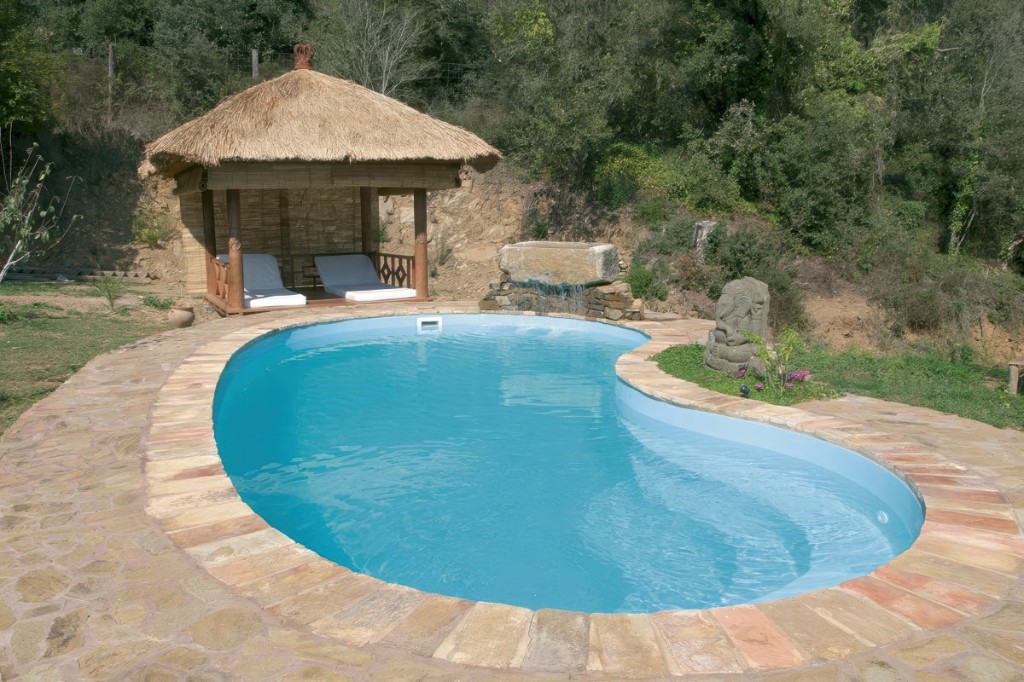
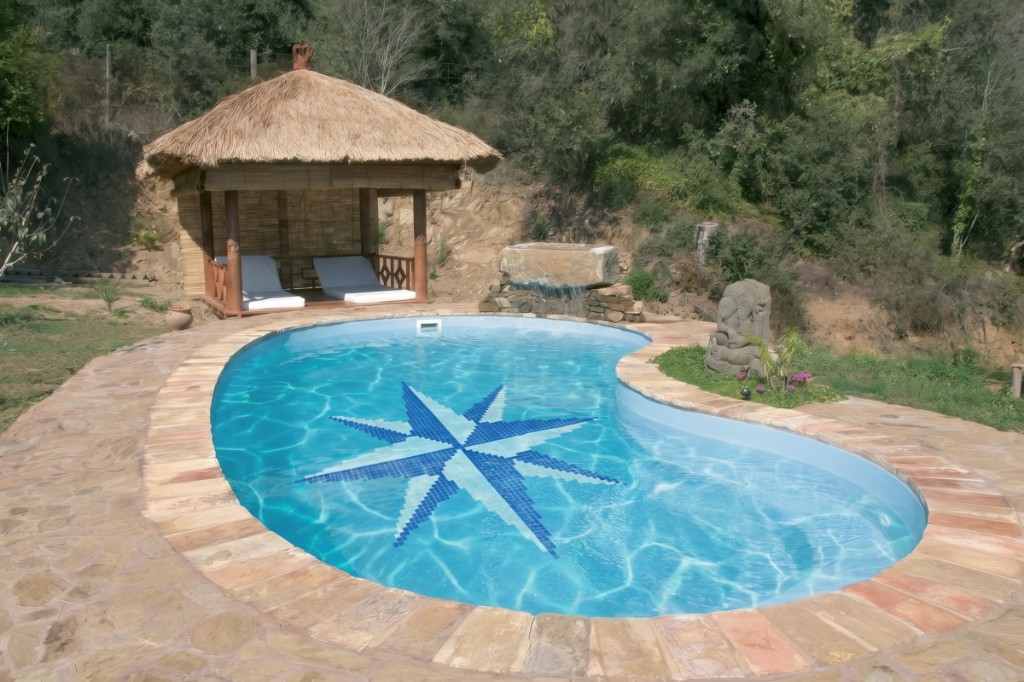
Real project (September 2026). A kidney pool with stone coping, a thatched gazebo and a hillside. Integrate a drawing placed a mosaic compass rose on the floor, keeping the basin, coping and surroundings.
25 September 2026 · Mix&Design
Input: basin without a floor motif.Result: drawing integrated in the basin.
The focus is the motif on the floor, not the basin. Check size, rotation and that the mosaic does not cover the coping or the landscape.
Frequently asked questions
Does it change the pool shape?
It should not: the focus is the floor drawing. Check that coping and surroundings are kept.
Can I use a logo or my own motif?
Yes—upload the drawing in the flow. Simple, high-contrast motifs read better underwater.
Where do I see pricing?
On /en/pricing.
Next step
Pool lining — If you want to change the mosaic of the whole basin, not a single motif.