Mark what to remove and erase objects or furniture while keeping a coherent background.
What the object remover does
Remove furniture, people or unwanted details from a photo and fill the background coherently for clean listings and renders.
Who it is for
Real-estate teams, photographers and designers who need to clean scenes before staging, redecorating or publishing.
Credits and how to start
Upload the image, mark what to remove and generate. Each removal uses credits by plan.
Mix&Design case: remove an armchair and keep the bedroom
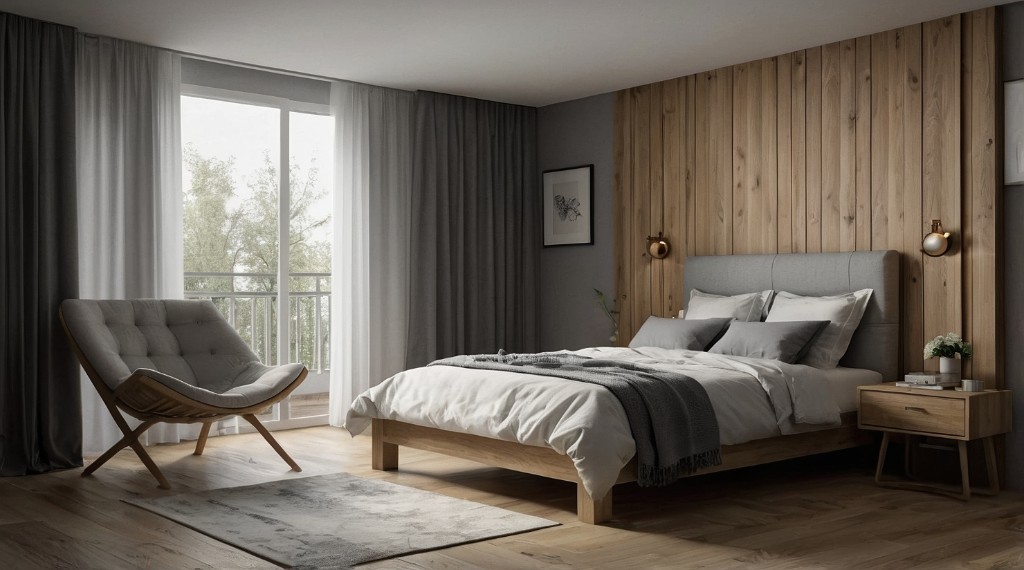
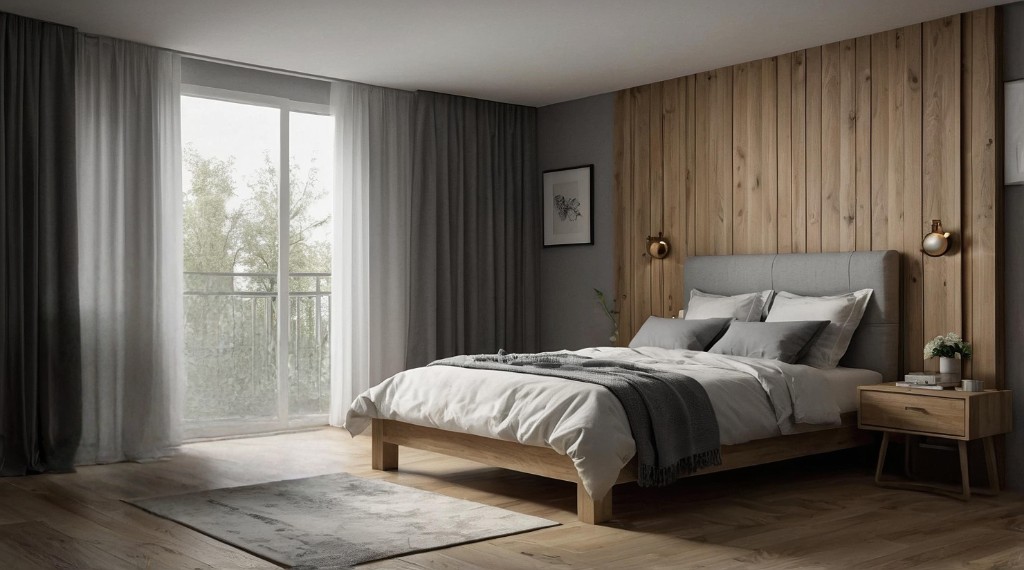
Real project (September 2026). A bedroom with a bed, nightstand and an armchair by the window. Object remover painted only the armchair: it vanished and the floor and curtains were rebuilt.
24 September 2026 · Mix&Design
Input: bedroom with armchair.Result: armchair removed, rest of the scene unchanged.
This is a visualisation. Check the floor patch and the curtains. It is not an inventory or a clearance report.
Frequently asked questions
Can I remove several objects at once?
Depending on the flow you can mark regions or iterate. Clean results sometimes need a few passes.
Is it the same as remove background?
No. Remove background isolates the subject; object remover erases elements inside the scene and rebuilds the surroundings.
Is it the same as Empty or Declutter?
No. Here you paint one specific object. Empty removes all furniture; Declutter removes only mess and keeps the furniture.
Where do I see plans and packs?
On /en/pricing: Mix&Design subscriptions and credit packs.
Next step
Virtual staging — When the scene is clean, furnish the empty room for the listing.