Online AI virtual staging with 360° view for real estate
Upload an empty-room photo, generate realistic furnished options, and turn the chosen one into a simulated 360° panorama for listings, presentations and viewings.
AI virtual furniture staging for real estate
Furnish empty rooms from a single photo with realistic AI furniture options for property listings, presentations and design review.
What is AI virtual staging
Furnish empty rooms from a photo: generate realistic options for listings, viewings and presentations without renting physical furniture. From one proposal you can also create a simulated 360° panorama and explore it in the Mix&Design Viewer.
Create a simulated 360° panorama from a staged room
Select a staged result to generate an AI panoramic simulation and open it in the 360° Viewer. It is not a verified property capture or a measurement tool.
Living room, bedroom, kitchen or studio: pick the room type and a style (Nordic, Mediterranean, contemporary, and others). The starting photo should be an interior, as empty as possible, straight-on or slightly angled, with decent light. If furniture remains, empty the room or remove objects first.
How it differs from redecorate
Staging starts from an empty space to furnish a listing. Redecorate applies a new style to a room that already has furniture. If the home is occupied and you only want a new look, use redecorate.
Who it is for
Real-estate teams, agents and home stagers who need furnished photos fast and, optionally, a 360° view; also designers exploring style variants before build-out.
Credits, listings and how to start
Upload the photo, pick room and style, and generate four variants (2 Premium credits). For the 360° panorama, select one option and generate the simulation (4 Premium credits). Review the result and follow each portal’s rules on retouched or AI-generated images.
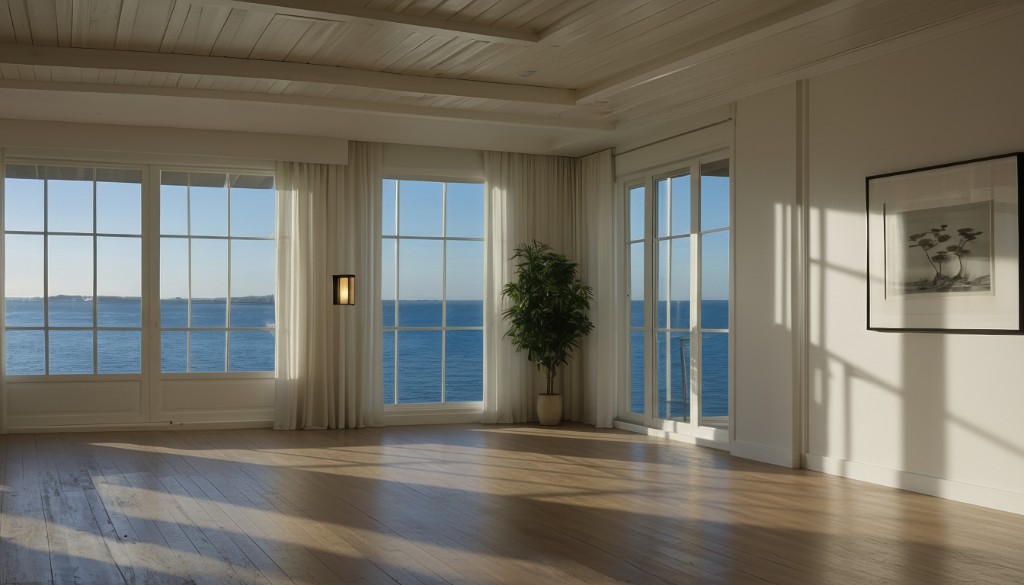
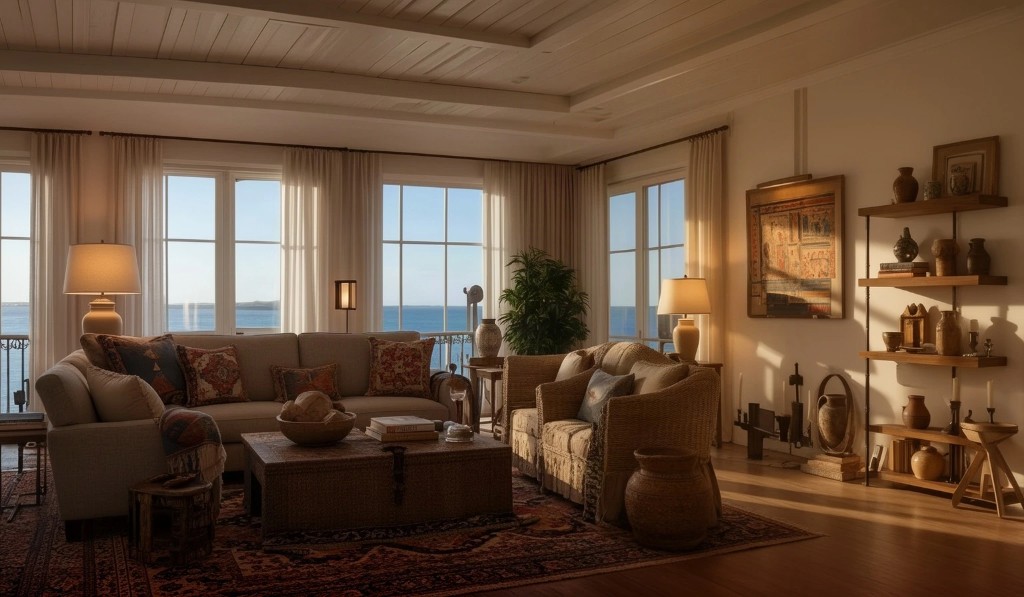
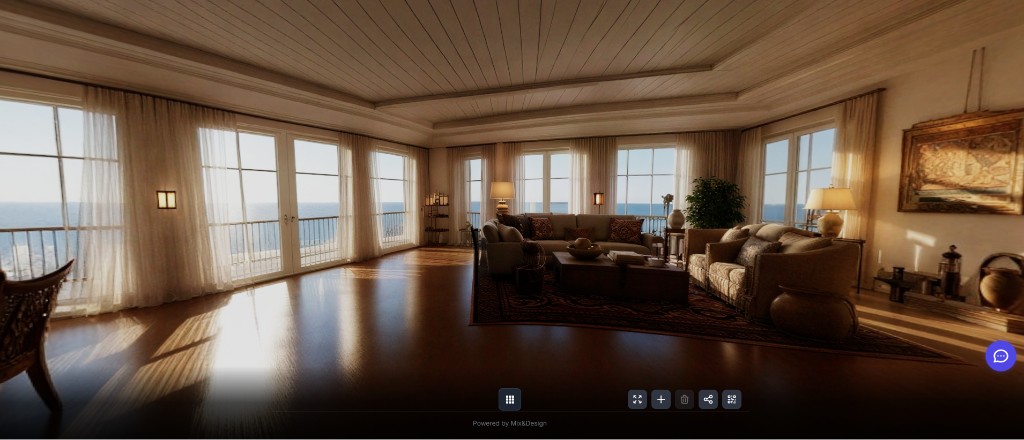
Mix&Design case: empty living room, Mediterranean staging and 360° simulation
Real project (September 2026). An empty living-room photo with sea views, furnished with Mediterranean virtual staging, then turned into a simulated 360° panorama in the Viewer.
24 September 2026 · Mix&Design
Input: empty room.Result: Mediterranean staging (one of four proposals).Next step: 360° simulation in the Viewer (not a real spherical photo).
The 360° is a simulation: AI invents the ceiling, sides and what sits behind the camera. It is not a real capture of the property and it is not for measuring.
Frequently asked questions
What is digital staging for real estate?
Digital staging adds virtual furniture and decor to an empty property photo. It helps real-estate teams present layout and style options without physical furniture.
Do I need a completely empty room?
The emptier and cleaner the photo, the better. If furniture remains, empty the room first; for stray objects, use the object remover.
Is this the same as redecorating a room?
No. Staging furnishes an empty space for sale or rent. Redecorate changes the style of a room that is already furnished.
Is the 360° a real capture of the property?
No. It is an AI panoramic simulation from the staged photo. It invents everything outside the original frame.
Can I use results on listing portals?
Yes. Virtual staging is built for listings and marketing. Follow each portal’s rules on retouched or AI-generated images.
How are generations billed?
Four options: 2 Premium credits. Each 360° panorama: 4 additional Premium credits. Emptying first may use premium or fast credits by plan. See Pricing for details.