Describe any change freely and generate a new version of your image in the editor.
What free edit does
Describe any change freely on your photo, with an optional texture or style reference, and generate a new version in the editor.
Who it is for
Anyone who needs a change that does not fit another tool: a gazebo, a one-off extra or an open instruction.
Credits and how to start
Open the editor, write the instruction (and a reference if needed) and generate. Uses credits by plan.
Mix&Design case: gazebo and dining set in the garden
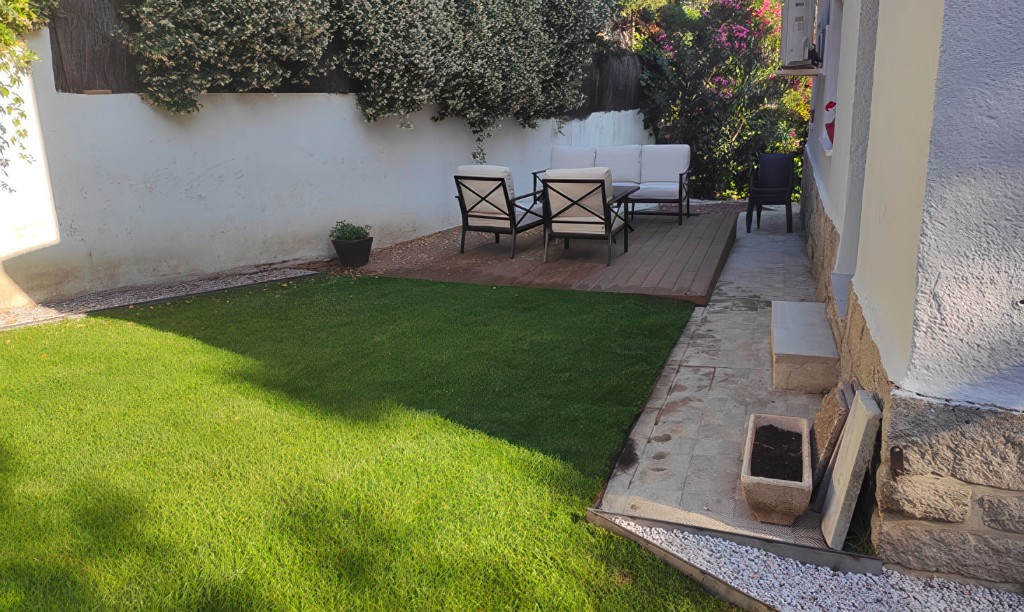
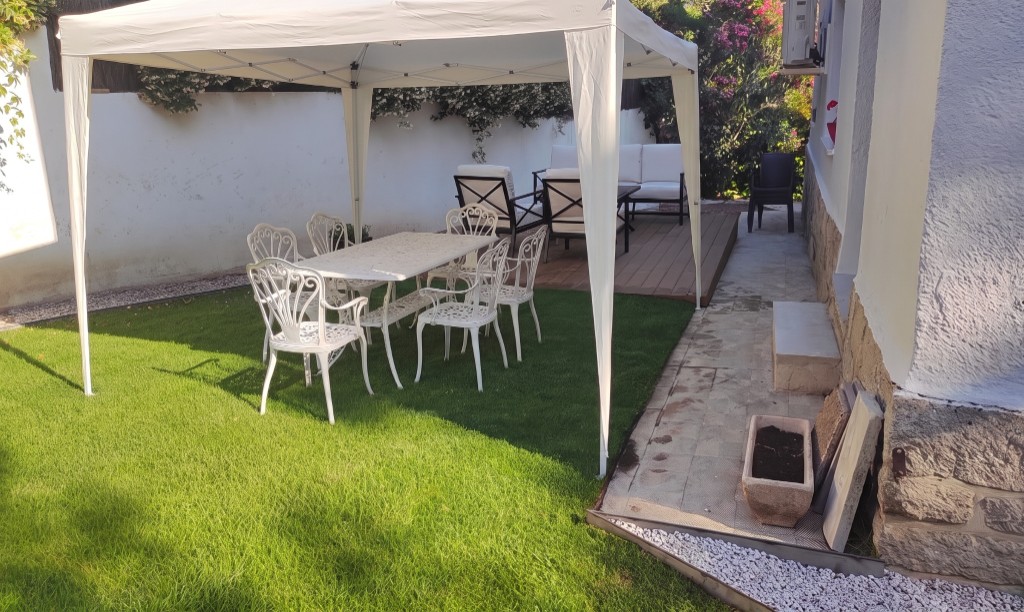
Real project (September 2026). The same patio with lawn and deck. Free edit was asked for a covered dining set: a white gazebo, a table and wrought-iron chairs on the grass, keeping walls, deck and the sofa at the back.
25 September 2026 · Mix&Design
Input: patio without a gazebo.Result: gazebo and dining set added.
Free edit follows the instruction closely. Check that what you wanted to keep is not erased and that the gazebo does not cover real party walls.
Frequently asked questions
Can I mark only one zone?
Free edit follows the text on the whole photo. If you want three zones with their own instruction, use edit several zones.
Does it keep walls and party walls?
It depends on what you ask. Check the result and spell out in the text what must not change.
Where do I see pricing?
On /en/pricing.
Next step
Edit several zones — If the change is three distinct zones in a single pass.
Try your furniture — If you only want to place one piece with a reference.