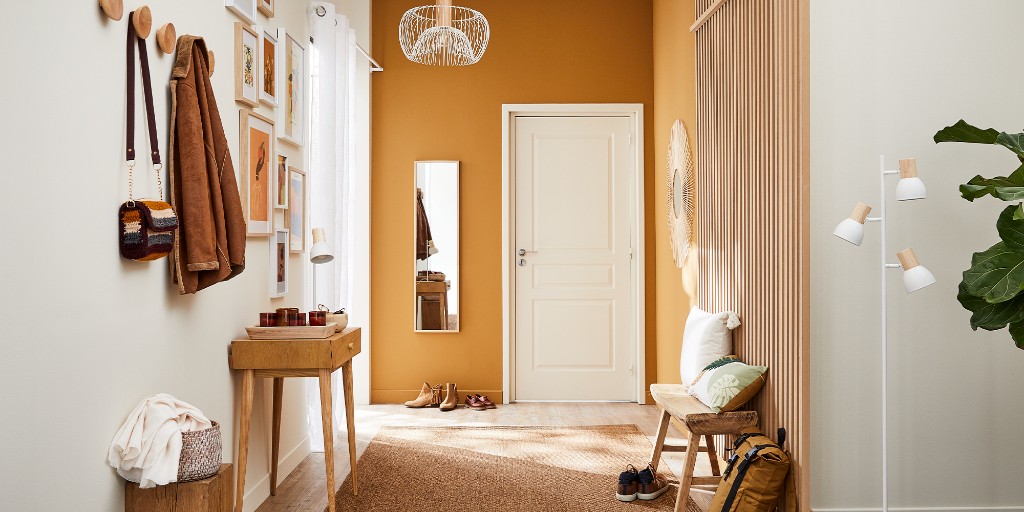
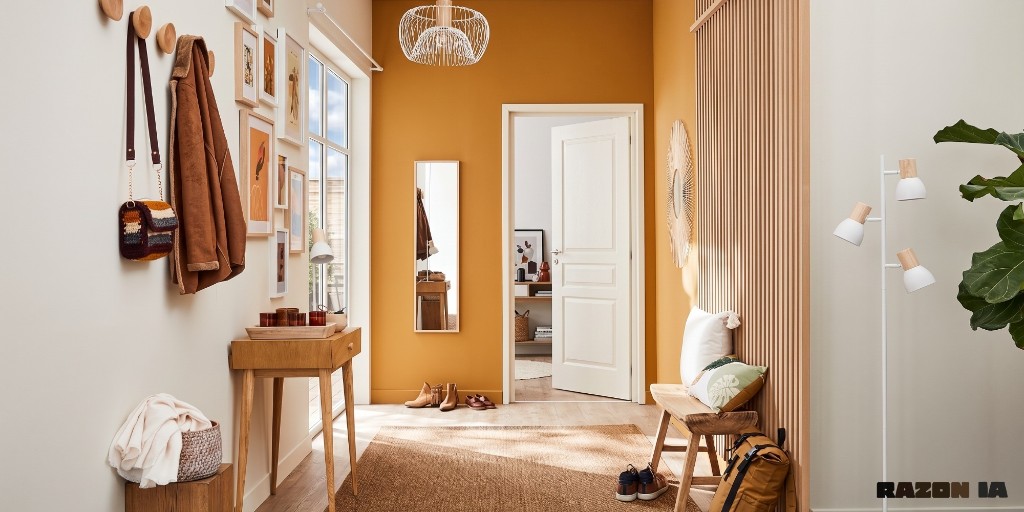
Mark up to three colored rectangles, write what to change in each, and generate everything at once.
What edit several zones does
Mark up to three rectangles, write what to change in each and generate everything at once. Ideal to unify beams, open a door and brighten a window in the same pass.
Who it is for
Anyone with two or three local changes on the same photo who does not want to chain several tools.
Credits and how to start
Open the editor, mark the zones, write each instruction and generate. 1 credit per pass.
Mix&Design case: open door and window in the hall
Real project (September 2026). A hall with a mustard wall, a closed white door, a picture gallery and a mirror. Edit several zones opened the door to the interior, brought more light through the window and kept hooks, bench and rug.
25 September 2026 · Mix&Design
Input: closed door.Result: open door and brighter window.
Each rectangle has its own instruction. Check that unmarked zones do not change and that the interior seen through the open door fits the home.
Frequently asked questions
How many zones can I mark?
Up to three, each with its own text. If the change is a single open instruction, use free edit.
Does it change what I do not mark?
It should not. Check unmarked areas and spell out what must stay the same.
Where do I see pricing?
On /en/pricing.
Next step
Free edit — If the change is one instruction on the whole photo.
Photo enhance — If you only want sharpness, colour and lighting, not to open a door.