Improve sharpness, color and lighting of your renders and project photos.
What photo enhance does
Improve sharpness, noise, colour and lighting of renders and project photos. Includes a mode for blown-out windows, with a plausible exterior rebuilt in the glass.
Who it is for
Anyone delivering boards or ads who needs the photo to read better without restyling the room.
Credits and how to start
Open the editor, pick photo enhance and generate. Uses credits by plan.
Mix&Design case: hall with more light and a clearer window
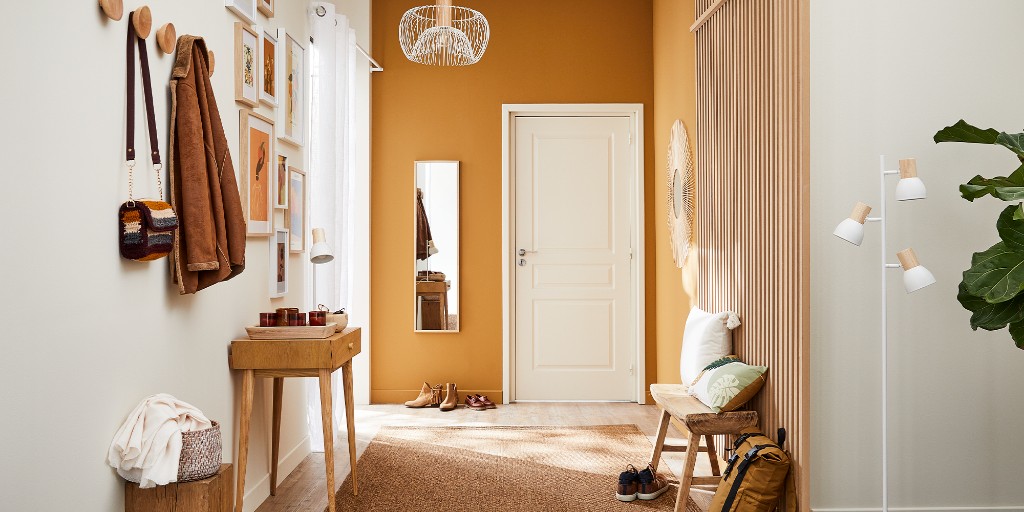
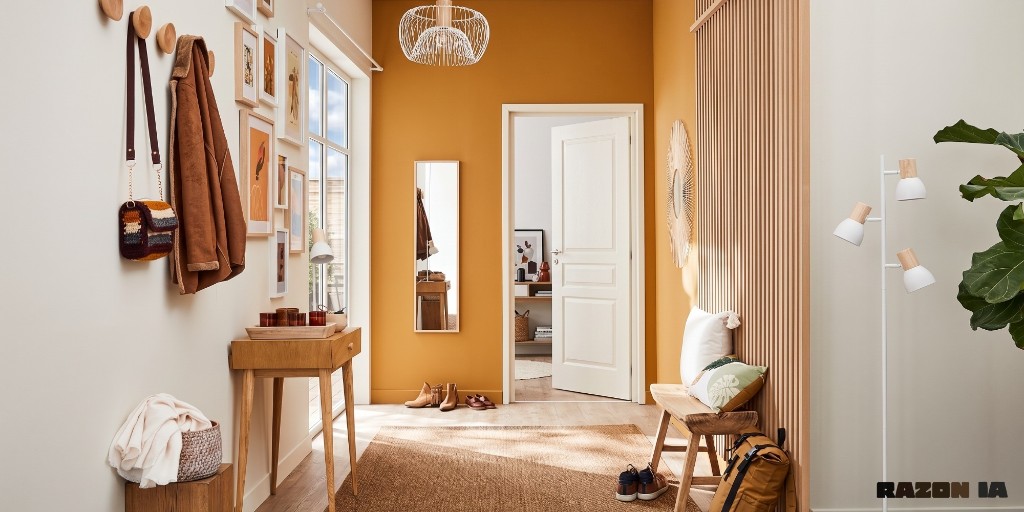
Real project (September 2026). A hall with a mustard wall, a closed door and a window to the street. Photo enhance added light, rebuilt the view in the glass and opened the door to the interior, keeping hooks, bench and rug.
25 September 2026 · Mix&Design
Input: starting hall.Result: more light and a rebuilt window.
Enhance works on sharpness, colour and lighting; on blown-out windows it rebuilds a plausible exterior. Check that openings foreign to the photo are not invented.
Frequently asked questions
Does it open doors or change furniture?
The focus is sharpness, colour and lighting. If an opening is added, check that it matches the home. For zone changes use edit several zones.
Does it rebuild the exterior in blown-out windows?
Yes—there is a mode for that. The exterior is plausible, not a survey of the real surroundings.
Where do I see pricing?
On /en/pricing.
Next step
Edit several zones — If the change is opening a door or touching two openings, not just the light.
Change lighting — If you want another time of day (sunset, night), not a sharpness pass.