Get clean cutouts ready for renders, listings or marketing.
What remove background does
Remove the background from product, furniture or architecture photos and leave a clean cutout for catalogues, listings or to drop into a render.
Who it is for
Anyone building listings, catalogues or boards who needs the object on its own, without the original photo background.
Credits and how to start
Upload the photo in the tool and generate the cutout. Uses credits by plan.
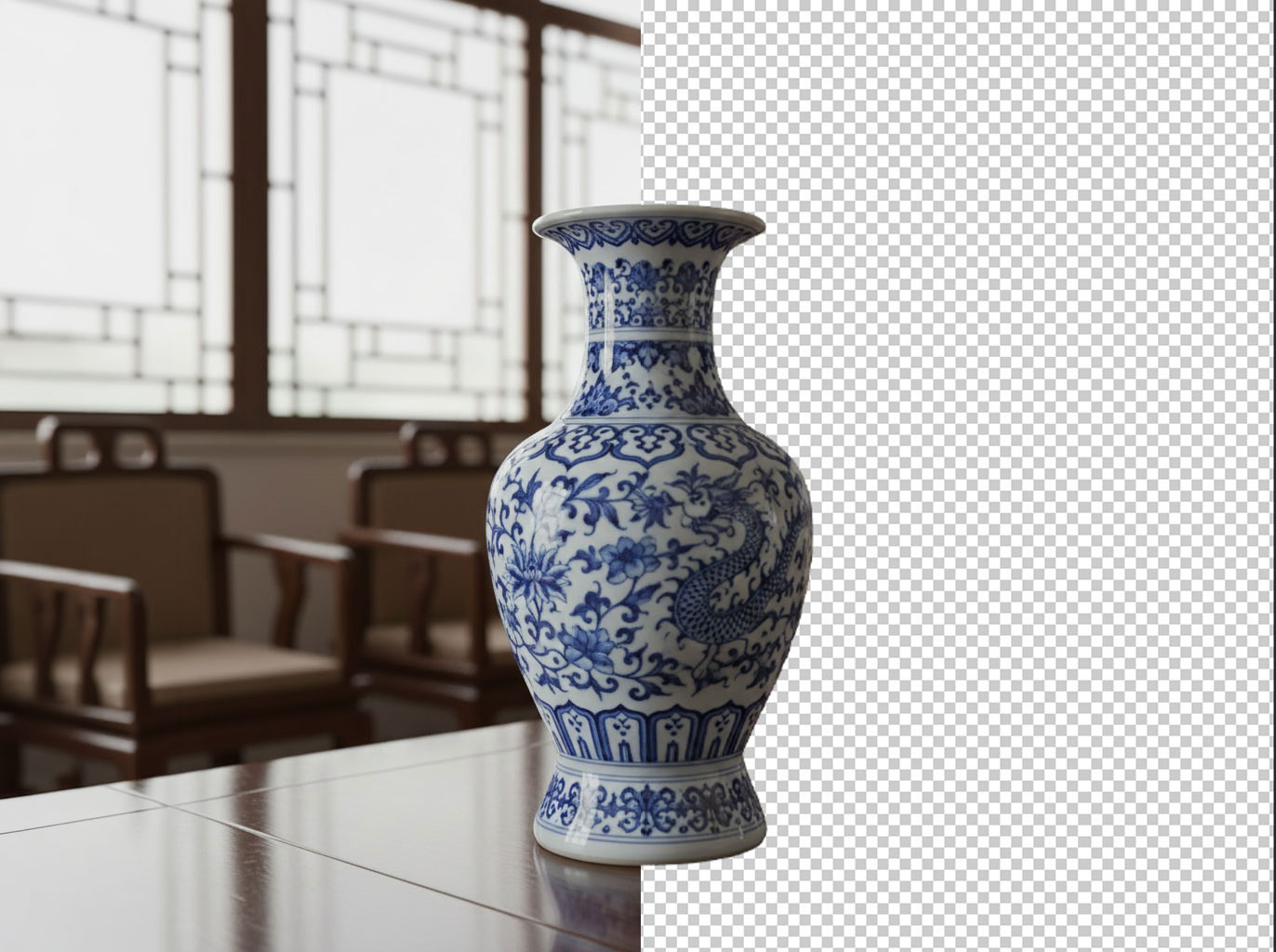
Mix&Design case: Chinese vase cut out
In-tool example (September 2026). A blue-and-white vase shown at once with the original background and cut out on transparency, ready for listings, catalogues or to drop into a render.
25 September 2026 · Mix&Design
In-tool example: half with background, half cut out.
This is a cutout, not a catalogue vector. Check handles, shadows and thin edges before print or a product sheet.
Frequently asked questions
Is the cutout a catalogue vector?
No: it is an image cutout. Check handles, shadows and thin edges before print.
Can I use it on a render?
Yes—the cutout is meant to drop into another scene, a listing or an ad.
Where do I see pricing?
On /en/pricing.
Next step
Try your furniture — If the cutout is a piece of furniture and you want it placed in a room.
Object remover — If you want to erase something from the photo, not cut the subject out.